
Shareable Client Reports, No Login Required
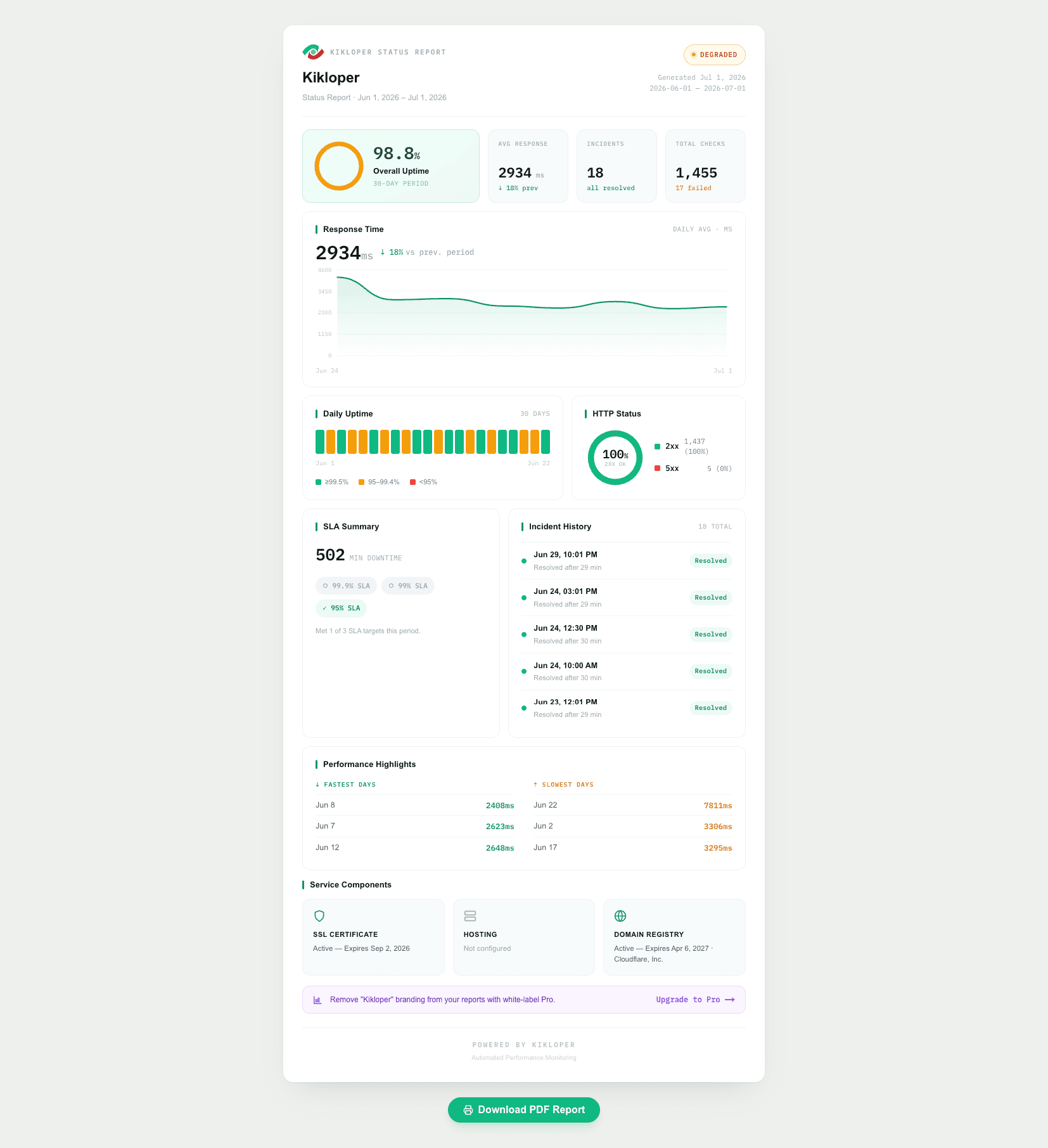
Send clients one link to a live status page — uptime, response time, and certificate health, always up to date. No account, no attachment, no manual work.
Proving your work is done shouldn't be a chore. Clients want to know their site is being looked after, but writing manual status updates is tedious, and PDF reports are stale the moment you export them. Most freelancers either over-communicate by hand or go quiet and hope nobody asks.
One live link that speaks for itself. Every site gets a shareable report page you can send with a single link. It shows uptime percentage, response time, and certificate status in real time — no login, no export, nothing for the client to install. It's always current because it's live.
Why It Matters
No login, no friction
The client clicks a link and sees everything. No account to create, no password, no app. Friction is what kills client-facing tools; this has none.
Always live, never stale
A PDF is out of date the second you send it. A shared link is accurate every time the client opens it — this morning, next month, whenever they check.
Proof, not promises
"Everything's running fine" is a claim. A live page showing 99.98% uptime is evidence. It quietly justifies the retainer every month.
It wins the next pitch
Handing a prospect a link to a clean, professional report page shows you take maintenance seriously — a differentiator most freelancers don't have.
One link. Full transparency. Zero back-and-forth.
Every monitored website gets its own live report page showing uptime history, SSL status, and response time trends. Share the link once, and your clients can check the latest status whenever they need it—no login or manual updates required.
- checkPublic report link
- checkUptime, SSL, and response time in one report
- checkResponse time history
- checkNo login required
How it works
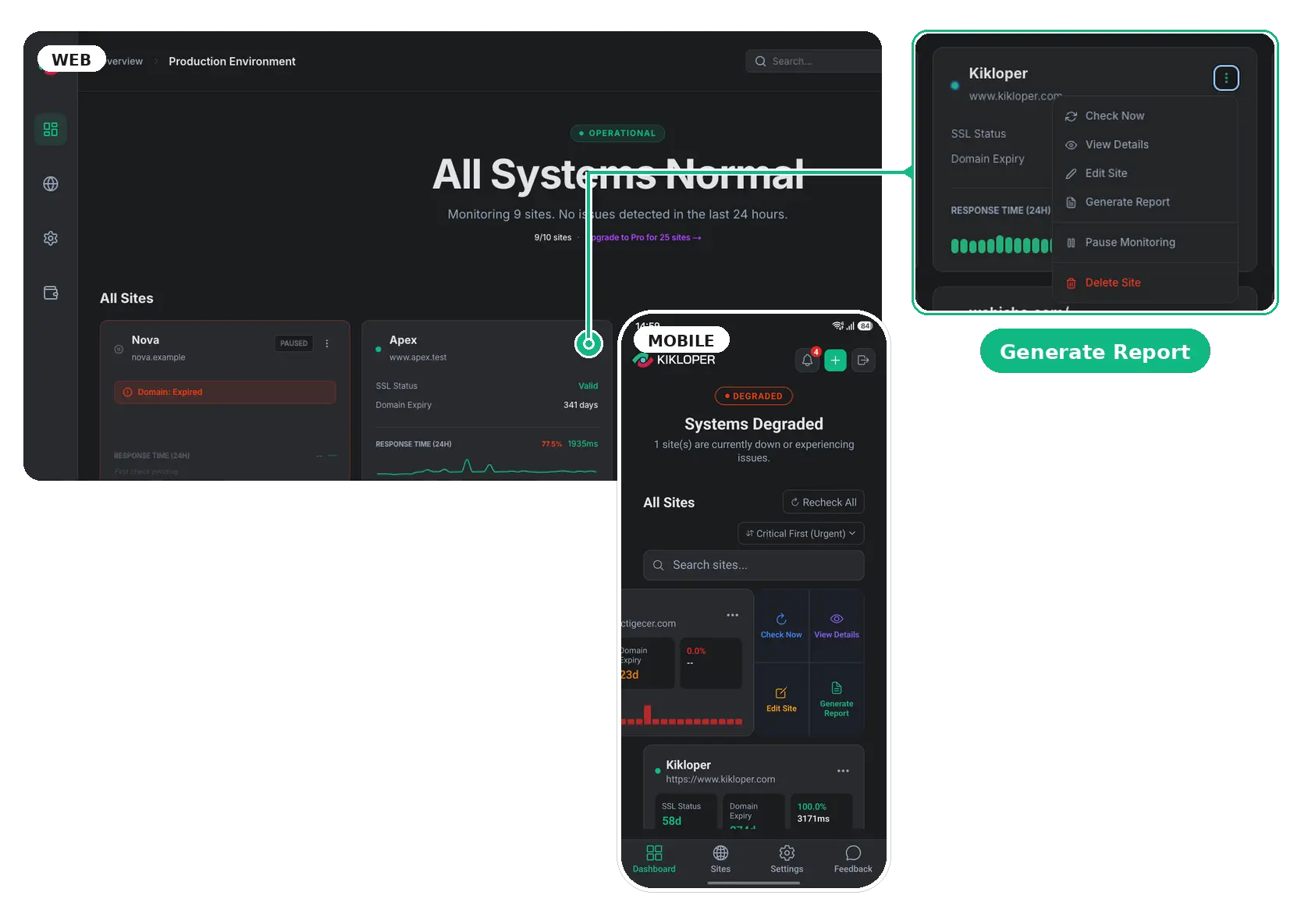
Generate your report
Click Generate Report to create a live report page for your monitored website.
Share the link
Copy the report link and share it with your client. No Kikloper account or login is required.
They check anytime
Clients always see the latest uptime, SSL status, and response time history from a single live page.
Related Features
White-Label Client Reports
Your brand, our engine.
Learn More arrow_forwardWeekly Performance Reports
A Monday morning summary of your whole portfolio.
Learn More arrow_forwardReal-Time Uptime Monitoring
Know before your visitors — or your clients — do. Automatic checks on every site you manage, with instant alerts the moment one goes down.
Learn More arrow_forwardRelated Resources

The Freelancer’s Guide to White-Label Client Reports
There’s a version of client reporting that looks like you’re using a tool. And there’s a version that looks like you built the tool. The first version: you monitor a client’s site with a third-party platform, generate a report, and send it to the client — with the monitoring provider’s logo in the header, their […]
Read Articlearrow_forward
How to Share Live Website Reports with Clients Without a Login
At some point in most client relationships, the question comes up: “How’s the site doing?” It’s a reasonable question. The client is paying for a website that’s supposed to be working, and they want occasional confirmation that it is. The problem is how most freelancers answer it. The answer usually involves writing something — a […]
Read Articlearrow_forward
Client Report Pages vs. PDF Reports: Which Builds More Trust?
If you’ve ever sent a client a PDF report of their website’s uptime and performance, you already know the feeling. You export the data, format it, write a brief summary, attach it to an email, and hit send — knowing that the moment it arrives, it’s already out of date. That’s not a workflow problem. […]
Read Articlearrow_forwardFrequently Asked Questions
No. The report link is public — anyone with the URL can view it, no login required.
It depends on your plan's data retention: 7 days on Free, 90 days on Solo, 365 days on Pro.
Yes, disabling public reporting for a site immediately invalidates its report link.
Yes. Report data updates automatically as new monitoring checks are completed.
Generate the report link from the site's menu and send it — by email, message, anywhere. The client opens it in a browser.
No. The page is public via a unique link and read-only — nothing for the client to sign up for.
No. The report shows only the site's monitoring data (uptime, response time, certificate status). It's a token-based page with no account details.
Yes, alongside the live link, for clients who want a snapshot to file.
That's what White-Label Client Reports adds — see that feature.
Try the Full Kikloper Experience
Get full access to the Solo plan for 14 days. Monitor real websites, receive downtime alerts, track SSL certificates, and generate client-ready reports with no feature restrictions.