
Instant Alerts, the Moment Something Breaks
Email and push notifications the second a site goes down, recovers, or a certificate is about to expire — so you act before your client notices.
Monitoring is useless if you find out too late. Checking a dashboard by hand doesn't scale, and most "monitoring" tells you something broke hours later, in a daily digest. By then the client has already seen it — or worse, their customers have.
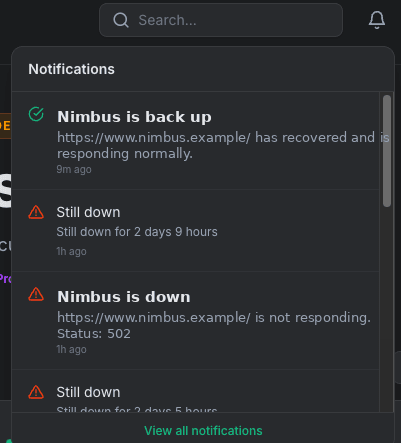
Alerts that reach you where you are, verified before they fire. Kikloper sends alerts by email and push the moment a confirmed issue is detected — a site going down, coming back up, or a certificate approaching expiry. Alerts are verified first, so you're notified about real problems, not momentary blips.
Why It Matters
You reach the client first
The goal isn't just knowing — it's knowing before they do. An instant alert is the difference between "we're already on it" and an apology.
Ad budget keeps burning while a page is down
For any site running paid traffic, downtime means money spent sending visitors to a dead page. A fast alert lets you pause spend immediately.
Alerts reach you off the dashboard
Email and push mean you don't have to sit watching a screen. The alert finds you, on whatever device you're on.
No alert fatigue
Kikloper confirms an outage across consecutive checks before alerting, so you're not woken up by a one-second network blip. Real signal, not noise.
One stream for every failure type
Down alerts, recovery alerts, and expiry warnings (SSL, domain, hosting) all come through the same channels. One place to watch, whatever breaks.
Domain and SSL, monitored together
Certificates and domain registrations both expire and both take a site offline. Kikloper tracks both on every cycle, so neither slips through.
One stream for every failure type
Down and recovery alerts, SSL / domain / hosting expiry warnings, and domain-level changes like a nameserver switch or a hold status all come through the same channels. One place to watch, whatever breaks.
Two independent channels, so a muted one never costs you the alert.
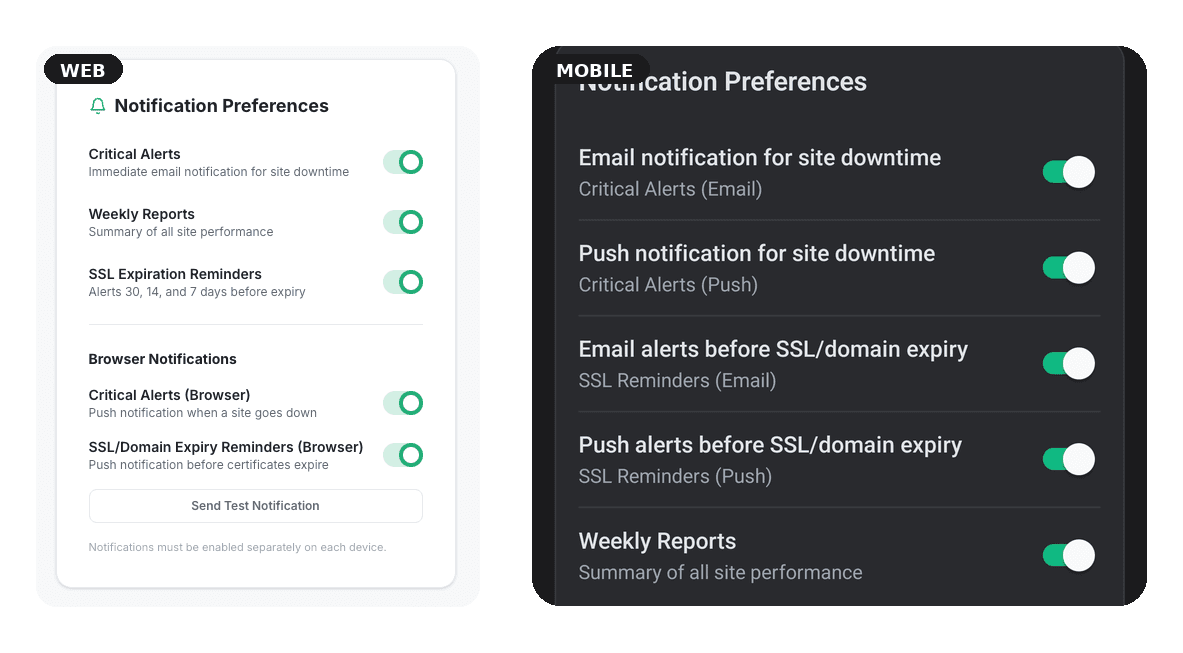
Email and browser push notifications work independently, giving you full control over how you receive alerts. Disable one channel without affecting the other, so important notifications are never missed.
- checkEmail notifications
- checkBrowser push notifications
- checkIndependent channel controls
- checkCritical alerts always prioritized
How it works
Choose your channels
Turn email and push on or off independently from your notification settings.
We monitor every check
Every uptime, SSL, domain, and hosting check runs automatically according to your monitoring interval.
You're notified instantly
Receive instant notifications when a website goes down, recovers, or requires your attention.
Related Features
Real-Time Uptime Monitoring
Know before your visitors — or your clients — do. Automatic checks on every site you manage, with instant alerts the moment one goes down.
Learn More arrow_forwardWeekly Performance Reports
A Monday morning summary of your whole portfolio.
Learn More arrow_forwardSSL Certificate Monitoring for Every Client Site
Catch an expiring certificate before it turns a client's site into a red browser warning. Automatic checks, alerts 30, 14, and 7 days out.
Learn More arrow_forwardRelated Resources
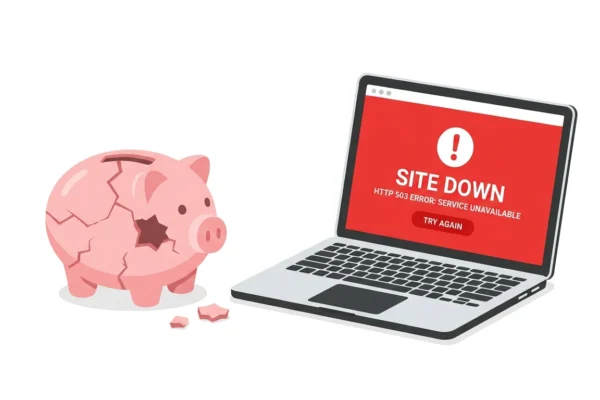
Don’t Lose Ad Budget Because Your Website Went Down
There’s a scenario that happens more often than anyone in digital marketing wants to admit. A campaign goes live on Monday morning. The creative is strong, the targeting is dialed in, the bids are competitive. By 10am, traffic is flowing. By 11am, something breaks on the server — a plugin conflict, a hosting issue, a […]
Read Articlearrow_forward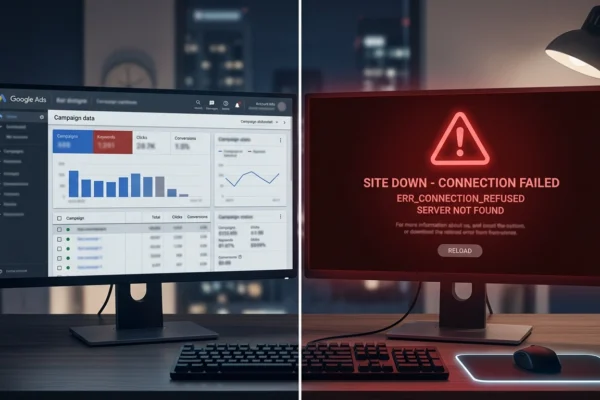
Monitor Landing Pages During Google Ads Campaigns
Google Ads gives you control over almost everything. You can set precise bid limits, define granular audience segments, schedule ads by hour and day, cap frequency, split-test copy, and optimize for dozens of conversion signals. What Google Ads doesn’t give you is any visibility into whether the page you’re sending traffic to is actually working. […]
Read Articlearrow_forward
Website Monitoring for PPC Professionals: A Practical Guide
PPC professionals are among the most data-driven people in digital marketing. They track impression share, Quality Score, conversion rate by hour, ROAS by device, click-through rate by ad variation. They optimize relentlessly — testing headlines, adjusting bids, refining audiences, improving landing page copy. And yet, almost universally, there’s a gap in what they monitor: whether […]
Read Articlearrow_forwardFrequently Asked Questions
Kikloper supports email notifications and browser push notifications. Each channel can be enabled or disabled independently, giving you full control over how you receive alerts.
Alerts are sent as soon as Kikloper detects downtime, recovery, or other monitored events, depending on your notification settings and subscription plan.
Yes. All plans include alerts, with Free plans limited to one alert per day and Solo and Pro plans offering unlimited alert delivery.
Email and browser/mobile push notifications. You choose what's on per device.
Within your plan's check interval (as fast as every 15 minutes on Pro), as soon as an issue is confirmed.
No. Kikloper requires consecutive confirmations before sending a down alert, and won't repeat the same alert while a site stays down.
Yes — critical (down/recovery) and expiry alerts have separate toggles in your notification settings.
Site down and recovery, SSL and domain expiry approaching, hosting renewal due, and domain-level changes such as a nameserver switch or registration hold. A site that fails to resolve is detected as downtime and triggers the standard down alert. Each alert is verified before it fires.
Try the Full Kikloper Experience
Get full access to the Solo plan for 14 days. Monitor real websites, receive downtime alerts, track SSL certificates, and generate client-ready reports with no feature restrictions.