For a freelance web developer, client reporting is the part of the job that never shows up in a quote and never quite goes away. You keep a client’s site running, you renew the certificate, you catch the outage before they notice, and then at the end of the month you still have to prove you did all of it. The work is invisible when it goes well, which is exactly when a client starts wondering what they’re paying for.
The right reporting tool solves that quietly: it turns the maintenance nobody sees into something a client can look at and understand. The wrong one adds an hour of copy-paste to your month. This guide covers the real options, from the free-but-manual approach to dedicated tools, and where each one fits.
The baseline: manual emails and documents
Most freelancers start here, sending a short email or a Google Doc at the end of the month with a few lines on what they did. It costs nothing and it’s better than silence.
Best for: your first handful of clients, when you have time to write each update by hand.
Worth knowing: it doesn’t scale, and it reads as effort rather than evidence. A sentence that says “the site was up all month” is a claim; a client has only your word for it. The moment you’re maintaining ten sites, writing ten honest updates every month becomes the task you keep postponing, and the reporting quietly stops happening.
Looker Studio (formerly Google Data Studio)
Looker Studio is free and powerful, and it connects to Google Analytics, Search Console, and dozens of other sources to build live dashboards you can share by link.
Best for: developers who also handle a client’s analytics and SEO, and want traffic and ranking data in one visual place.
Worth knowing: it’s built for marketing analytics, not site maintenance. It won’t tell a client their SSL certificate is healthy or their domain is paid up, because it has no idea those things exist. There’s also a real setup cost: building a clean Looker Studio report takes time and a bit of data-source wrangling, which is fine once and tedious per client.
AgencyAnalytics
AgencyAnalytics is a dedicated agency reporting platform. It pulls SEO, PPC, social, and some uptime data into white-label dashboards and scheduled PDF reports, with your own logo and domain.
Best for: established agencies and freelancers with a roster of marketing clients who need polished, multi-channel reports.
Worth knowing: the price reflects the audience. Plans start in the range of tens of dollars a month and climb with the number of campaigns, which is reasonable for an agency billing retainers and heavy for a solo developer whose reporting need is “show the client the site is healthy.” You pay for a marketing suite to use a slice of it.
PDF report generators
A common middle path is a tool, or a script, that generates a branded PDF each month and emails it to the client. It looks professional and it lands in the inbox without the client doing anything.
Best for: clients who expect a document they can file, and relationships where a monthly artifact is part of the deal.
Worth knowing: a PDF is a snapshot, and it’s out of date the moment it’s sent. If the site goes down the day after the report, the PDF still says everything is fine. It proves where things stood on the first of the month, not where they stand when the client actually opens it.
Kikloper
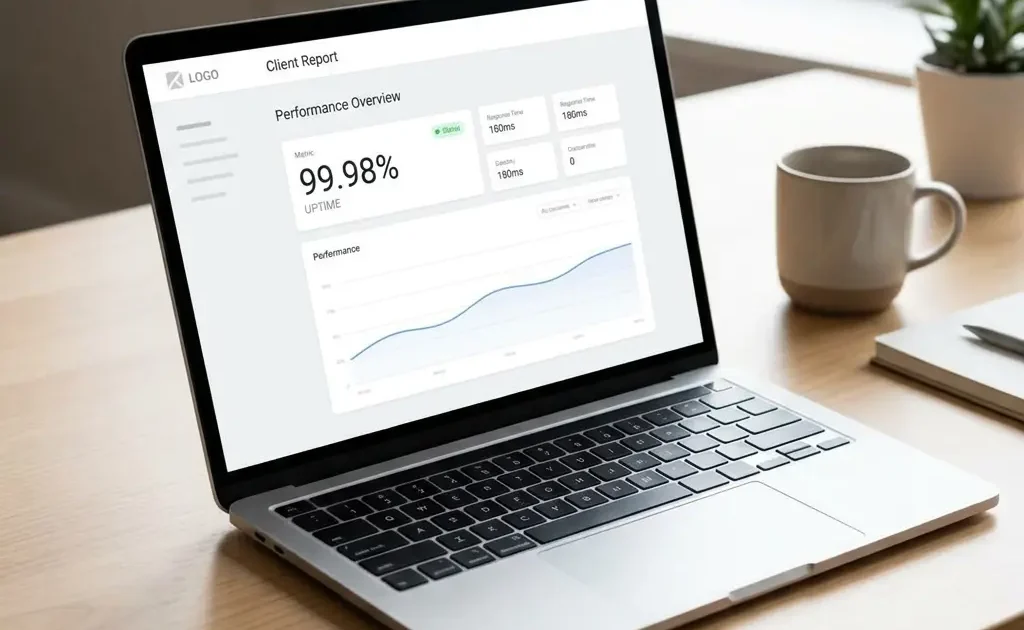
Kikloper approaches reporting from the maintenance side rather than the marketing side. Every site you monitor gets a shareable report page with its own link: uptime percentage, response time, and certificate status, all live. You send the client one link, they open it in a browser with no login, and it’s accurate every time they look, this morning or three months from now.
Best for: freelancers and small agencies who maintain client sites and want to prove uptime, performance, and certificate health without assembling anything by hand.
Worth knowing: Kikloper reports cover the maintenance layer (uptime, SSL, domain, response time), not marketing analytics. If your client wants traffic sources and keyword rankings, you’ll still want Looker Studio for that side. What Kikloper removes is the busywork: there’s nothing to build per client and nothing to regenerate each month. On the Pro plan the report is white-label, so it carries your brand instead of Kikloper’s. See how the shared report works on the client reports page.
Why a live link beats “sent on the first”
It’s worth drawing out the difference between a live link and a monthly document, because it changes what the report is for. A monthly PDF or email answers the question “what happened last month?” A live link answers a better one: “is my site okay right now?” A client who can check that themselves, whenever they wonder, trusts the arrangement more than one who waits for a report and takes it on faith. It also saves you the awkward case where you’ve reported 100% uptime and the client found the site down an hour later. While the link is valid (90 days, or 365 on Pro), the report and reality are the same thing.
Who should pick what
- Stick with manual emails if you have two or three clients and the time to write each update honestly.
- Use Looker Studio if your reporting is really about traffic and SEO, and you want a free, flexible analytics dashboard.
- Choose AgencyAnalytics if you run a marketing-heavy practice and need multi-channel, white-label reports across a client roster.
- Generate PDFs if a client specifically wants a document to keep, and a monthly snapshot fits the relationship.
- Choose Kikloper if your job is keeping client sites healthy and you want a live, white-label report that proves it without any monthly busywork.
There’s no single best reporting tool, because “reporting” means different things depending on what you’re paid to do. If you’re paid to drive traffic, you need analytics reporting. If you’re paid to keep sites running, you need maintenance reporting, and the thing that serves you there is a report that’s true the moment the client opens it, not one you had to build the night before.
Maintaining client sites? Give each one a live report link you never have to assemble → Start a free trial.
Maintaining client sites? Give each one a live report link you never have to assemble
Start a free trial arrow_forward