

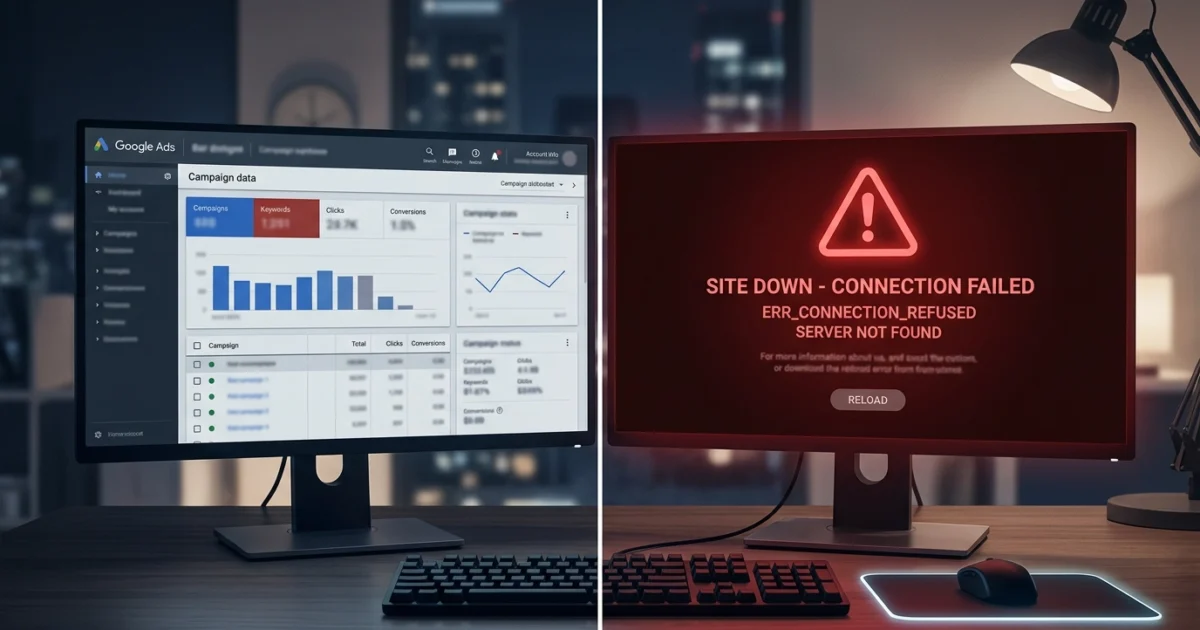
Google Ads gives you control over almost everything. You can set precise bid limits, define granular audience segments, schedule ads by hour and day, cap frequency, split-test copy, and optimize for dozens of conversion signals.
What Google Ads doesn’t give you is any visibility into whether the page you’re sending traffic to is actually working.
The platform’s job is to deliver clicks according to your settings. It does this reliably, efficiently, and without checking whether the destination is returning a 200 or a 503. When your landing page goes down mid-campaign, the clicks keep coming. The spend keeps accumulating. And unless someone happens to check the page manually, nobody finds out until the conversion data makes it obvious — by which point the damage is done.
Monitoring your landing pages during active campaigns isn’t optional. It’s the piece of the paid search workflow that most teams have simply never thought to add.
What “Landing Page Down” Looks Like in Campaign Data
The frustrating thing about landing page downtime is that it’s almost invisible in standard campaign reporting.
Impressions keep running normally. Clicks keep registering. The spend graph looks identical to any other period. What changes is conversion rate — and conversion rate fluctuates for dozens of legitimate reasons. Creative fatigue, audience saturation, competitor activity, time of day, day of week. A conversion rate drop doesn’t automatically read as “the page is broken.”
This means teams often look in the wrong places first. They pull the search terms report. They check Quality Scores. They look at impression share. They wonder if a competitor has undercut them on price. All of this analysis happens while the landing page continues to return errors to every visitor the campaign is sending.
By the time someone manually checks the URL — usually because something feels off enough to warrant it — hours have passed. Sometimes an entire overnight period during an always-on campaign.
The only way to know immediately is to have something watching the page continuously, independent of the campaign interface.
Why Google Ads Campaigns Amplify Downtime Cost
Landing page downtime is always costly. During an active paid campaign, it’s dramatically more so — for three reasons.
You’re paying for every failed visit. Organic traffic that hits a broken page costs you nothing directly. A paid click that hits a broken page costs you the full CPC. For competitive keywords in financial services, insurance, legal, or e-commerce verticals, that can be £5, £10, or £50 per click. An hour of downtime at 60 clicks per hour in a competitive vertical is significant budget directed at a dead end.
Quality Score damage compounds over time. Google evaluates landing page experience as part of Quality Score calculation. A page returning server errors sends negative signals to the algorithm. Depending on how long the downtime lasts and how much traffic hits the broken page, Quality Score can take days or weeks to recover — meaning you pay higher CPCs for the period after the outage, not just during it.
Campaign optimization algorithms get corrupted data. Smart Bidding strategies — Target CPA, Target ROAS, Maximize Conversions — rely on conversion data to optimize bid decisions. A period of zero conversions caused by downtime looks identical to a period of genuinely poor performance. The algorithm adjusts accordingly, pulling back on bids or reallocating budget based on data that doesn’t reflect actual campaign performance. Reversing these algorithmic adjustments takes time.
Setting Up Monitoring Before the Campaign Goes Live
The right time to add a landing page to monitoring is before the campaign starts — not after something goes wrong.
The setup process is straightforward.
Step 1: Identify every URL receiving paid traffic. This includes the primary landing page, any variant URLs used in experiments, and any thank-you or confirmation pages that are part of the conversion flow. Each of these should be monitored independently.
Step 2: Add them to your monitoring tool before launch. Using Kikloper’s real-time uptime monitoring, each URL takes about two minutes to add. Monitoring begins immediately — so you have a baseline of normal response times from the moment the campaign starts driving traffic.
Step 3: Configure who receives alerts. This is the step most teams miss. The alert should reach whoever can take immediate action — which for a paid campaign means the account manager or media buyer who can pause spend, not just the developer who can fix the technical issue. Kikloper’s instant alerts deliver notifications by email and push, reaching the right person within minutes of a page going down.
Step 4: Keep monitoring running for the duration of the campaign. Downtime doesn’t respect business hours. Always-on campaigns need always-on monitoring. A page that goes down at 11pm on a Saturday during a weekend promotion needs to trigger an alert immediately — not wait until Monday morning.
What Happens When You Get the Alert
The immediate response to a landing page downtime alert during an active campaign is to pause the campaign. This is a thirty-second action that stops the spend from accumulating against a broken destination while the technical issue is investigated and resolved.
Once the page is restored and confirmed working, the campaign resumes. The total exposure is limited to the window between when the page went down and when the alert fired — typically minutes with continuous monitoring rather than hours with manual checking.
This is the fundamental value proposition of monitoring in a paid campaign context: it converts an uncontrolled exposure window into a controlled one. Without monitoring, you find out when you notice. With monitoring, you find out when it happens.
Building This Into Your Campaign Launch Process
For agencies and in-house teams running campaigns regularly, monitoring should be part of the pre-launch checklist for every campaign — as standard as checking ad copy, confirming budget settings, or verifying conversion tracking.
Kikloper covers uptime monitoring across all active landing pages from a single dashboard, with response time tracking that shows whether pages are slowing down under campaign traffic loads — a slower page is the first warning sign before an outage, and catching it early often prevents the outage entirely.
The Solo plan covers 10 URLs at $5/month. For agencies managing multiple client campaigns simultaneously, the Pro plan covers 20 URLs at $10/month. Both include a 14-day free trial with no credit card required.
Every campaign deserves a page that's confirmed working. Every minute it isn't, budget burns. Start your free trial at Kikloper and add your active landing pages to monitoring before the next campaign goes live.
Start your free trial at Kikloper arrow_forward

